The good: The iPhone 5 adds everything we wanted in the iPhone 4S: 4G LTE, a longer, larger screen, free turn-by-turn navigation, and a faster A6 processor. Plus, its top-to-bottom redesign is sharp, slim, and feather-light.
The bad: Apple Maps feels unfinished and buggy; Sprint and Verizon models can't use voice and data simultaneously. The smaller connector renders current accessories unusable without an adapter. There's no NFC, and the screen size pales in comparison to jumbo Android models.
The bottom line: The iPhone 5 completely rebuilds the iPhone on a framework of new features and design, addressing its major previous shortcomings. It's absolutely the best iPhone to date, and it easily secures its place in the top tier of the smartphone universe.
The iPhone 5 is the iPhone we've wanted since 2010, adding long-overdue upgrades like a larger screen and faster 4G LTE in a razor-sharp new design. This is the iPhone, rebooted.
The new design is flat-out lovely, both to look at and to hold, and it's hard to find a single part that hasn't been tweaked from the iPhone 4S. The iPhone 5 is at once completely rebuilt and completely familiar.
I've had the chance to use the iPhone 5 for nearly a week, and have been using it for nearly anything I can think of. Is it as futuristic or as exciting as the iPhone 4 or the original iPhone? No. Does this change the smartphone game? No. Other smartphones beat it on features here and there: if you want a larger screen, go with a Samsung Galaxy S3. If you want better battery life, go with a Droid Razr Maxx.
But, if you want a great, all-around, beautifully engineered smartphone that covers all bases, here it is. Just like the MacBook is to the world of laptops, the new iPhone is one of the top three, if not the best-designed, smartphone around. It's better in all the important ways.
Editors' note: We are continuing to update this review with additional observations and test results. Among the latest additions (October 4, 2012) are the inclusion of 4G LTE speed tests (see "4G LTE: Faster, at last" section); detailed comparisons to camera quality between the iPhone and rival smartphones (see "The camera" section); and detailed battery test results for both video playback and talk time (see "Battery" section).
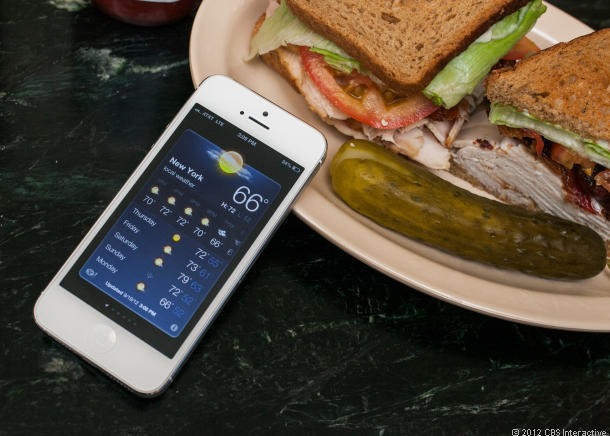
What's different?
Look at our review of last year's iPhone 4S, where we said, "Even without 4G and a giant screen, this phone's smart(ass) voice assistant, Siri, the benefits of iOS 5, and its spectacular camera make it a top choice for anyone ready to upgrade." 
Well, guess what? Now it has 4G LTE and...well, maybe not a giant screen, but a larger screen. That's not all, though: the already great camera's been subtly improved, speakerphone and noise-canceling quality has been tweaked, and -- as always -- iOS 6 brings a host of other improvements, including baked-in turn-by-turn navigation, a smarter Siri, and Passbook, a location-aware digital wallet app for storing documents like gift cards, boarding passes, and tickets.
The question is: a full year later, is that enough? For me, it is. I don't want much more in my smartphone. Sure, I'd love a new magical technology to sink my teeth into, but not at the expense of being useful. Right now, I'm not sure what that technology would even be.

Like every year in the iPhone's life cycle, a handful of important new features take the spotlight. This time, 4G, screen size, and redesign step to the top.
You've gotten the full rundown already, most likely, on the various ins and outs of this phone, or if you haven't, I'll tell you about them below in greater detail. Here's what I noticed right away, and what made the biggest impression on me.

First off, you're going to be shocked at how light this phone is. It's the lightest iPhone, even though it's longer and has a bigger screen. After a few days with it, the iPhone 4S will feel as dense as lead.
Secondly, the screen size lengthening is subtle, but, like the Retina Display, you're going to have a hard time going back once you've used it. The extra space adds a lot to document viewing areas above the keyboard, landscape-oriented video playback (larger size and less letterboxing), and home-page organizing (an extra row of icons/folders). Who knows what game developers will dream up, but odds are that extra space on the sides in landscape mode will be handily used by virtual buttons and controls.

Third, this phone will make your home Wi-Fi look bad. Or at least, it did that to mine. Owners of other 4G LTE phones won't be shocked, but iPhone owners making the switch will start noticing that staying on LTE versus Wi-Fi might actually produce faster results...of course, at the expense of expensive data rates. I hopped off my work Wi-Fi and used AT&T LTE in midtown Manhattan to make a FaceTime call to my wife because the former was slowing down. LTE, in my tests, ran anywhere from 10 to 20Mbps, which is up to twice as fast as my wireless router's connection at home.
Using your iPhone 5 as a personal hot spot for a laptop or other device produces some of the same strong results as the third-gen iPad...and it's smaller. Of course, make sure you check on your tethering charges and data usage fees, but my MacBook Air did a fine job running off the LTE data connection at midday.

The look: Thin, metal, light as heck
You know its look, even if the look has been subtly transformed over the years: circular Home button, pocketable rectangle, familiarly sized screen. Can that design be toyed with, transformed a little, changed?

From left: The Lumia 900, iPhone 5, Samsung Galaxy S3.
The newest iPhone has a wide metal body that stretches above previous iPhones, but is also thinner; still, this isn't a massive phone like the Samsung Galaxy Note or HTC One X. The iPhone 5 rises above the iPhone 4 and 4S, but subtly.
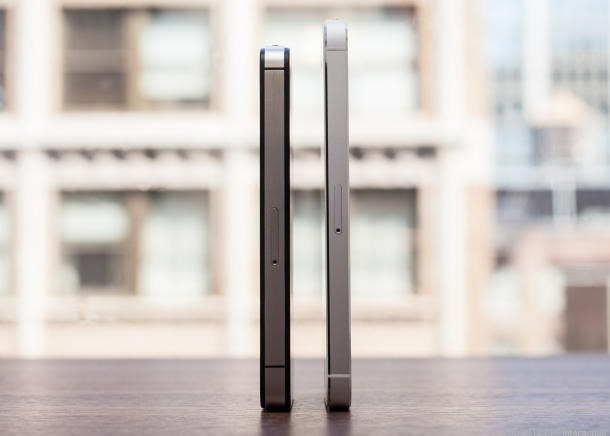
From the front and sides, it looks very similar to the iPhone 4 and 4S. The same rounded metal volume buttons, sleep/wake button on top, and silence switch remain. The headphone jack has moved to the bottom of the phone, just on like the iPod Touch. Some will like it, some won't; it makes standing the iPhone upright and using headphones a virtual impossibility. Actually, the entire bottom is all new: the headphone jack, the larger, redesigned speakers, a different type of perforated grille, and a much tinier Lightning connector port.

The Gorilla Glass back of the last iPhone is gone, replaced with metal. The two-tone look might seem new, but it's a bit of a reference to the silver-and-black back of the original iPhone. The very top and bottom of the rear is still glass. That anodized aluminum -- which Apple claims is the same as that on its MacBook laptops -- feels exactly the same, and is even shaded the same on the white model. So far, it's held up without scratches. I'd say it'll do about as well as the aluminum finish on your 2008-and-later MacBook. On the black iPhone, the aluminum matches in a slate gray tone. On my white review model, it's MacBook-color silver. That aluminum covers most of the back and also the sides, replacing the iPhone 4 and 4S steel band, and lending to its lighter weight. The front glass sits slightly above the aluminum, which is cut to a mirrored angled edge on the front and back, eliminating sharp corners.
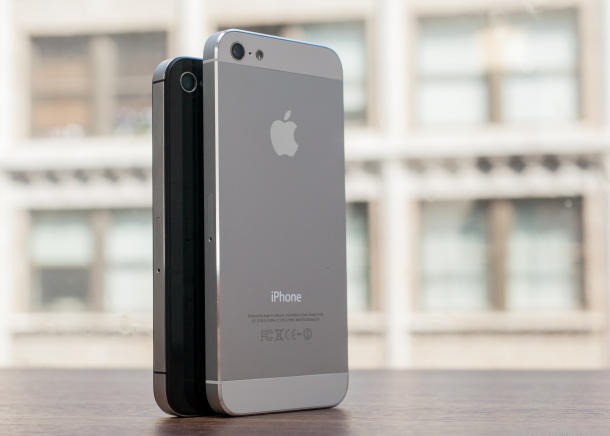
Why the move away from a glass back? Is it about creating a better, more durable finish, or is it about weight reduction? Apple's proud of its claims of how light the iPhone 5 is, and the new aluminum back is part of that. So is the move to a Nano-SIM card (making SIM swaps once again impossible and requiring a visit to your carrier's store). So is the thinner screen and the smaller dock connector. You get the picture.
Hold an iPhone 4S up to the new iPhone, and I could see the difference in thickness. It's not huge, but it feels even slimmer considering its expanded width and length. What I really noticed is how light it is. I still feel weirded out by it. The iPhone 5's 3.95-ounce weight is the lightest an iPhone's ever been. The iPhone 4S is nearly a full ounce heavier at 4.9 ounces. The iPhone 3G was 4.7 ounces. The original iPhone and iPhone 4 were 4.8 ounces. This is a phase-change in the nearly constant weight of the iPhone -- it's iPhone Air.
Yet, the iPhone 5 doesn't look dramatically different like the iPhone 4 once did. Actually, it seems more like a fusion of the iPhone with the iPad and MacBook design.

And, of course, there's the new, larger screen. You may not notice it from a distance -- the screen's still not as edge-to-edge on the top and bottom as many Android phones, but extra empty space has been shaved away to accommodate the display. There's a little less room around the Home Button and below the earpiece. The iPhone 5 screen is just as tall as the screen on the Samsung Galaxy S 2, but it's not as wide. That thinner body design gives the iPhone the same hand feel, and what I think is an easier grip. The extra length covers a bit more of your face on phone calls.
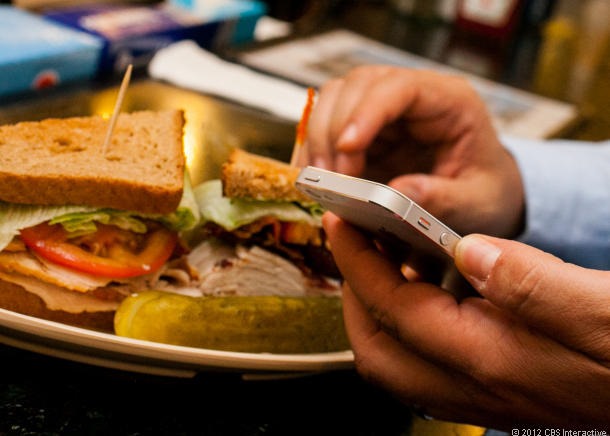
Over the last week with the iPhone 5, I started to forget that the phone was any larger. That seems to be the point. And, the iPhone fit just fine in my pants, too: the extra length has been traded out for less girth, so there's little bulge. And, with that awkward statement having been uttered, I'll move on.
That 4-inch screen: Going longer
The iPhone 5 finally extends the 3.5-inch screen that's been the same size on the iPhone for five years, but it does so by going longer, not wider. A move from the iPhone 4 and 4S' 3.5-inch, 960x640-pixel display to a 4-inch, 1,136x640-pixel display effectively means the same Retina Display (326 pixels per inch), but with extra pixel real estate versus a magnified screen. All the icons and app buttons are the same size, but there's more room for other features, or more space for videos and photos to be displayed.
The iPhone's interface is the same as always: you have app icons greeting you in a grid, and a dock of up to four apps at the bottom. Instead of a grid of four rows of four apps, the longer screen accommodates five rows of four apps. More apps can fit on the home screen, but that's about it as far as user interface innovation. Extra screen height means pop-up notification banners are less intrusive at the top or bottom.

It's odd at first going longer versus also adding width, and it means a shift away from the iPad's more paperlike 4:3 display ratio. Pages of e-books could feel more stretched. In portrait mode, document text may not seem larger, but you'll see more of it in a list.

In landscape mode, text actually seems bigger because page width stretches out (so, you can fit more words on a line). The virtual keyboard in landscape mode also ends up a bit more spread out, too, with a little extra space on the sides, which took some getting used to.
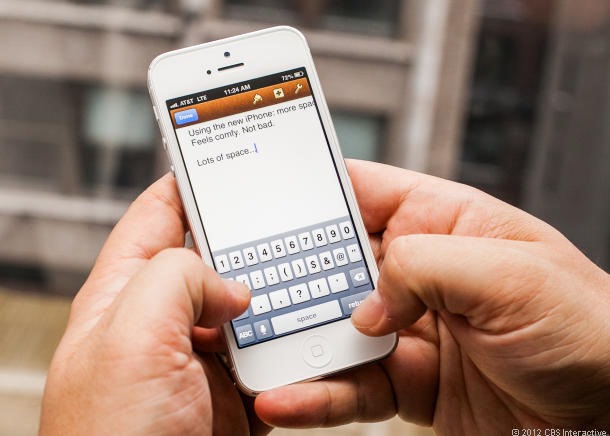
I preferred portrait typing because the keyboard size and width remains the same, while the extra length allows more visible text above the virtual keys.
The screen difference isn't always dramatic, especially compared with some ultra-expansive Android devices: the Samsung Galaxy S3 beats it both on overall screen size (4.8 inches) and pixel resolution (1,280x720). In the iOS 6 Mail app, with one line of preview text, I fit six and a half messages on the screen at the same time on the iPhone 5 versus five and a third on the iPhone 4 and 4S. Other apps toy with the layout more; I fit eight tasks on one screen in the new iOS 6 version of Reminders, versus five on the iPhone 4S with iOS 5.1.1.

Infinity Blade II, before iPhone 5 optimization. Note the black bars.
Of course, you'll need new apps to take advantage of the longer screen, and at the time I tested the iPhone 5, those weren't available because iOS 6 hadn't formally launched. Older apps run in a letterboxed type of mode at the same size as existing phones, with little black bars on the top and bottom. Apps work perfectly fine this way, especially in portrait mode, but you definitely notice the difference. App-makers will be scrambling to make their apps take advantage of the extra screen space, and my guess is it won't take long at all for most to be iPhone 5 (and iPod Touch) ready.
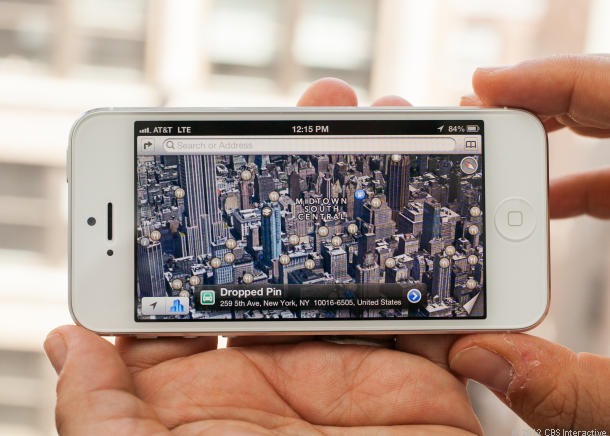
I tried iMovie, iPhoto, Pages, Numbers, Keynote, GarageBand, iCards, and all of the iPhone 5's built-in apps (Maps, Reminders, Messages, Photos, Camera, Videos, Weather, Passbook, Notes, Stocks, Newsstand, iTunes, the App Store, Game Center, Contacts, Calculator, Compass, Voice Memos, Mail, Safari, Music, and, of course, Phone), and they all take advantage of the extra space in a variety of useful ways. How others will adopt the extra real estate remains to be seen.

I'm looking forward to killer apps that will take advantage of the larger screen. So far, I haven't found any that do it in surprising ways. My guess is that games will benefit the most, along with video and photo apps, and, to some degree, reading/news apps.

Video playback, of course, has a lot more punch because the new 16:9 aspect ratio reduces or removes letterboxing across the board in landscape mode. An HD episode of "Planet Earth" filled the entire screen, while the available viewing space shrank down even more on the iPhone 4S because of letterboxing. YouTube videos looked great. Some movies, of course, like Pixar's "Wall-E," still have letterboxing because they're shot in the superwide CinemaScope aspect ratio (21:9), but they look a lot larger than before -- and you can still zoom in with a tap on the screen.
I think that, much like the Retina Display, you'll miss the iPhone 5's new screen more when you try to go back to an older phone. The new display feels like a natural, so much so that to the casual eye, the iPhone 5 doesn't look entirely different with the screen turned off. The iPhone 4 and 4S screens feel small and hemmed-in by comparison.

iPhone 5 and iPhone 4S video playback of the same 1080p nature video.
The new iPhone 5's display also has a layer removed from the screen, creating a display that acts as its own capacitive surface. I didn't notice that difference using it; it feels as crisp and fast-responding as before. Apple promises 44 percent extra color saturation on this new display, much like the third-gen iPad's improved color saturation. The difference wasn't as dramatic in a side-by-side playback of a 1080p episode of "Planet Earth," but the iPhone 5 seemed to have a slight edge. It was a little too close to call in game-playing, photo-viewing, and everyday experience with the phone, even held side-by-side with the iPhone 4S. The real difference, again, is the size. Autobrightness adjustments have also been tweaked a little, and I found on average that the iPhone 5 found more-appropriate brightness levels for the room I was in.

This seems like a good time to discuss thumbs. As in, your thumb size and the iPhone 5. Going back to the iPhone 4S, I realized that the phone's design has been perfectly aligned to allow a comfortable bridge between thumbing the Home button and stretching all the way to the top icon on the iPhone's 3.5-inch display. That's not entirely the case, now. I could, with some positioning, still thumb the Home button and make my way around the taller screen, but the iPhone 5's a little more of a two-hander. It might encourage more people and app developers to switch to landscape orientation, where the extra length and pixel space provide finger room on both sides without cramming the middle.

Game developers are likely to lean toward the landscape 16:9 orientation, because it more closely matches a standard HDTV's dimensions, and most console games. The extra width allows useful virtual button space, too.
4G LTE: Faster, at last
Last year's iPhone 4S had a subtle network bump to 3.5G (listed as "4G" on the iPhone 4S following iOS 5.1), offering faster data speeds on AT&T. The iPhone 5 finally adopts faster LTE, joining most other smartphones on the market and even the third-gen iPad, with the leap to LTE back in March. (On the top corner of the iPhone, the service indicator reads "LTE" when it's up and running.) However, the presence of LTE doesn't mean a world LTE phone; currently, LTE roaming between carriers overseas is impossible.

There's also support, depending on the iPhone 5 version you buy, for slower GSM (including EDGE and UMTS/HSPA) and CDMA/EV-DO networks. The iPhone 5's LTE uses a single chip for voice and data, a single radio chip, and a "dynamic antenna" that will switch connections between different networks automatically.
In the United States, AT&T, Sprint, and Verizon Wireless will carry the iPhone 5. T-Mobile loses out. In Canada, it's Rogers, Bell, Telus, Fido, Virgin, and Koodo. In Asia, the providers will be SoftBank, SmarTone, SingTel, and SK Telecom. For Australia there's Telstra, Optus, and Virgin Mobile, and in Europe it will go to Deutsche Telekom and EE. On carriers without LTE, the iPhone 5 will run on dual-band 3.5G HDPA+. I didn't notice any problems when switching between LTE and 4G, but I tended to find myself stationary in a place that had LTE service or a place that didn't, without much time to test the transition midcall.
There's a catch, though: there are now two versions of iPhone 5 in the U.S., one GSM model and another version for the CDMA carriers. You may not have your dream of a universal LTE phone, but international roaming is possible between 2G and 3G. Also, get ready to accept that Verizon and Sprint iPhone 5s still won't be able to make calls and access data simultaneously, even though many other Verizon/Sprint LTE phones can pull this off. That's because those other phones use a two-antenna system for LTE/voice (voice doesn't run over LTE yet), while the iPhone 5 only uses one plus a dynamic antenna for what Apple says is more connection stability.
Nevertheless, data access via 4G LTE is stunningly fast. This is no gentle upgrade. In my home on the Upper West Side of Manhattan, I tested both my AT&T iPhone 4S and the AT&T iPhone 5 at the same time. The iPhone 4S averaged a 2.4Mbps download speeds over "4G," whereas the iPhone 5 averaged 20.31Mbps. In comparison, my home wireless Internet via Time Warner averaged 9.02Mbps at the hour I tested (1:30 a.m.).
For a more formal rundown, CNET editors Brian Bennett and Kent German tested both the Verizon and AT&T iPhone 5 models in San Francisco and New York, and compared against both the iPhone 4S and Samsung Galaxy S3.
| iPhone 5 (AT&T) | 20.44 | 9.39 |
| iPhone 4S (AT&T) | 6.77 | 1.66 |
| Samsung Galaxy S3 (AT&T) | 19.37 | 9.12 |
| iPhone 5 (Verizon) | 9.78 | 7.47 |
| iPhone 4S (Verizon) | 1.71 | 0.91 |
| Samsung Galaxy S3 (Verizon) | 8.87 | 13.55 |
The iPhone 5, in both instances, edged the Samsung Galaxy S3 in download speeds, but the Galaxy S3 was faster in upload speeds on Verizon.

The difference can be felt loading Web pages: the mobile version of CNET took 5.3 seconds over LTE, versus 8.5 seconds on the iPhone 4S. A graphically intensive Web site like the desktop version of Huffington Post took 16 seconds to load via LTE, versus 23.3 seconds on the iPhone 4S in 4G.
Those who already use 4G LTE may simply be nodding their heads, but to iPhone owners looking to upgrade, this is major news. For many people, LTE will be faster than their own home broadband.
Of course, that's a dangerous seduction: with fast LTE comes expensive rates and data caps. AT&T also requires a specific plan to even enable FaceTime over cellular. Make sure you don't fall down the rabbit hole of overusing your LTE, because believe me, you're going to want to. I tried setting it up a wireless hot spot for my MacBook Air, and the result was generally excellent.
Outside major cities, it's not quite as exciting if you don't have LTE coverage. Using the AT&T iPhone 5 out in East Setauket, Long Island, data download speed was merely 3.5Mbps because of a lack of AT&T LTE service. Verizon's LTE coverage map is larger, but Sprint's LTE network is small as well. My experience with AT&T and LTE may not necessarily be yours.
Wi-Fi has also gotten a bit of a boost via dual-band 802.11n support over both 2.5GHz and 5GHz. It should help in the event of interference with other Wi-Fi devices, although I never encountered that problem before, even with tons of Wi-Fi gadgets scattered about my apartment.

The camera
Something on the iPhone 5 has to not be new, right? Well, even the rear iSight camera's been tweaked, but not quite as much as other features. It's still an 8-megapixel camera, but there's a new sapphire-crystal lens, and improved hardware enabling features like dynamic low-lighting adjustment, image stabilization on the 1080p video camera, and the capability to take still shots while shooting video. 
The camera takes excellent pictures, a bit more so now than before. The iPhone 5 takes far clearer low-light pictures, but the result, while more coherent, is grainier and lower resolution than the wonderfully detailed images taken in bright, direct light. I ran around in semi-darkness in my son's room taking pictures of his toys, and found that the iPhone 5 was able to make things out in places where the iPhone 4S couldn't. Read Josh Goldman's detailed, extensive testing of the iPhone 5's camera versus the Samsung Galaxy S3 and HTC One X.

Indoor shot with the iPhone 5.
I settled for some indoor house shots instead to show off how the camera works in dimmer conditions. Of course, you'll probably use flash in those instances, but it can't hurt to have it as a backup.

iPhone 5 camera, outdoors.
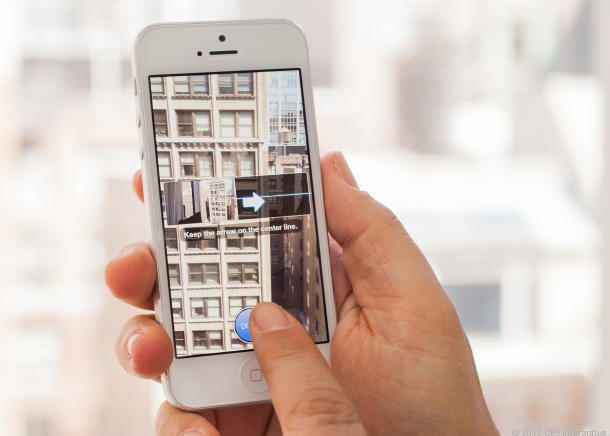
I took pictures outdoors and in, and the biggest differences I could appreciate were the awesome new panorama mode and the even faster picture-taking. One of these two features can be acquired on the iPhone 4S via an iOS 6 update. The other amounts to a bump up from the iPhone 4S camera.


Follow Us
Were this world an endless plain, and by sailing eastward we could for ever reach new distances